In this article we will look at how to create a new connection to a database in Jiwa 7.
At the Jiwa login screen select Connections

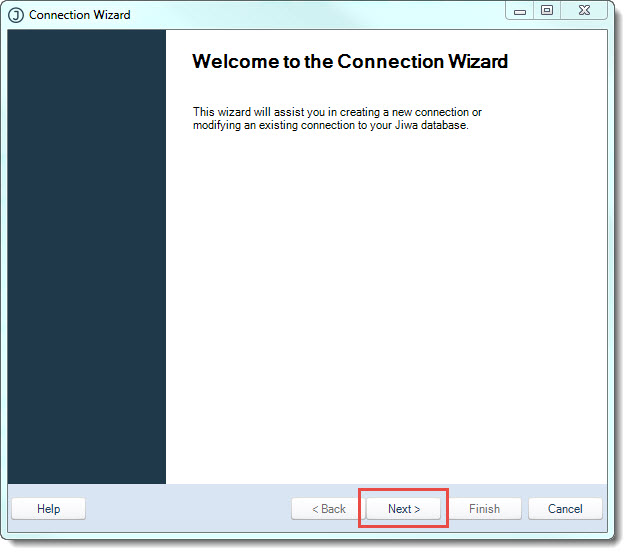
At the Connection Wizard select Next
Ensure that the radio button Create a new connection is selected
Then press Next


In this article we will look at how to create a new connection to a database in Jiwa 7.
At the Jiwa login screen select Connections
At the Connection Wizard select Next
Ensure that the radio button Create a new connection is selected
Then press Next

This entire document, including design, text, videos, graphics, and photographs are Copyright © 2014 - Opal Logic Pty Ltd, All Rights Reserved.
No part of this document may be reproduced in any way or by any means for commercial or any other purposes, without prior written permission of Opal Logic Pty Ltd.
Use of any data for the purpose of creating promotional materials or producing a printed or electronic catalog of any kind is expressly forbidden without prior written permission of Opal Logic Pty Ltd.

 JIWA Training